Kill The Shadow Tools
Interactive utilities and planners for Dark Tide City investigations.
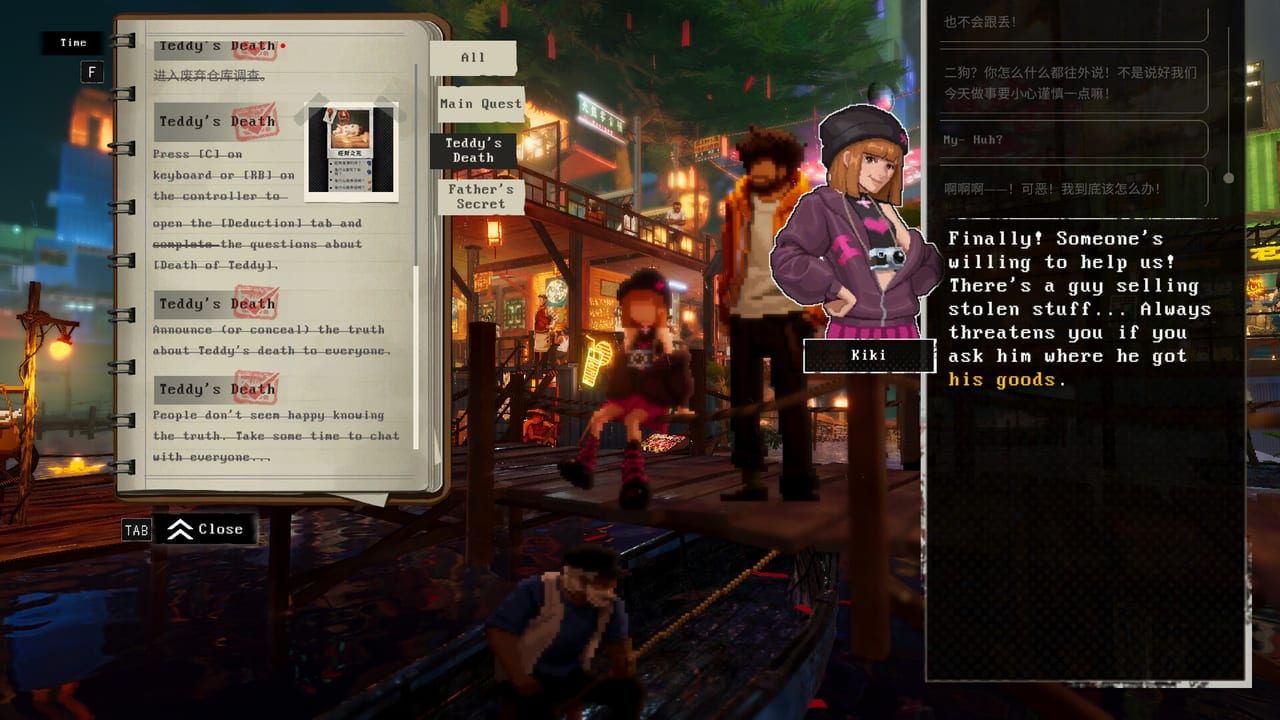
Kill The Shadow asks players to plan Strength, Spirit, and Charm investments before interrogations lock dialogue with Captain Theo, Axel Flint, Kiki, Mrs. Reed, and the rest of Dark Tide City. Shadowlight and Phoenix Game’s systems reward foresight: a Spirit-heavy Lucas reads the Priestess differently than a Charm-first fixer who bribes Auntie Bass at the fish market. The wiki Tools hub hosts interactive helpers that complement Guides and Builds without replacing in-game experimentation.
Start with the featured Build Planner when theorycrafting attribute spreads, then use the Achievement Checklist when hunting demo trophies or prepping launch-week completion goals.
Featured tools
Build Planner — Strength, Spirit, Charm
The Build Planner is an on-page interactive widget that lets you allocate attribute points and preview how Lucas might approach interrogations before you commit in-game. Slide points among Strength (force and intimidation), Spirit (psychological pressure and guilt reads), and Charm (persuasion, empathy, and bribery) to see summary text about likely playstyle tendencies.
The widget appears directly on the Build Planner page—no external app required. Use it alongside How to Play Kill The Shadow and dedicated Builds articles for themed routes like Wharf intimidation or Old Town social webs.
Achievement Checklist — Demo and Launch Prep
The Achievement Checklist is a printable-style reference table for all ten Steam demo trophies on app 2947640 — Senior fitter, Master Negotiator, Elementary my dear Watson, and the rest — plus conflict notes for saves that cannot hold every flag at once. It links to the achievements guide, demo walkthrough, and Build Planner so you plan Charm reruns for Lucky and Lux separately from Strength paths for Dr. Cyrus.
Use it before chasing Full Achievements in the demo, then reuse the same tracking habit when the full game launches August 2026 on app 2660230.
Why plan builds externally
Attribute choices gate content:
- Strength opens hard pressure on Shipwreck Wharf and factory foremen.
- Spirit unlocks deeper reads during Old Town interviews with Mrs. Reed and the Priestess.
- Charm funds social solutions with Kiki, Chiffon, and market vendors.
Kill The Shadow supports multiple endings; respec is not casual. Planning on the Build Planner prevents accidental spreads that grey out desired dialogue during Teddy or Master Reed threads. Cross-link Walkthrough when a case demands a specific attribute threshold.
Tools versus guides
| Resource | Purpose |
|---|---|
| Guides hub | Explains systems—corkboard, Rewind, demo start |
| Builds hub | Written build archetypes and ending interactions |
| Build Planner | Interactive point allocation preview |
| Achievement Checklist | Demo trophy table, conflict map, rerun routing |
| Characters | NPC context for who each attribute persuades |
Use guides to learn rules, Builds for narrative recommendations, Tools for quick what-if math.
Workflow: demo to full release
- Play demo until first attribute choice matters.
- Open Build Planner; recreate your demo spread; note missed dialogue icons.
- Read Lucas profile for attribute philosophy.
- Skim Districts for zone-specific build tips.
- On full release, reset planner for campaign-wide point budget before Chapter 2 interrogations.
Controls and corkboard synergy
Tools plan mind; Controls plan hands. Controller users applying the Steam community D-pad corkboard tip execute deductions planned via Builds faster—see Controller guide.
Future utilities
This hub will link additional reference tools as the wiki grows—ending trackers, district unlock checklists, and case evidence sheets—without duplicating Walkthrough step lists. Check back post-August 2026 launch.
Post-launch tool roadmap
As Kill The Shadow exits its August 2026 launch window, this hub will accumulate reference sheets that stay out of Walkthrough spoilers—ending requirement matrices, district unlock timelines, and optional clue checklists for completionists hunting every Kiki photograph or Auntie Bass rumour. Those additions will follow the same rule as the Build Planner: interactive or printable where helpful, always linking back to Guides for system explanations rather than duplicating corkboard tutorials.
Common planner mistakes to avoid
Spreading one point everywhere — Demo players sometimes balance 1-1-1 spreads that open no premium dialogue. The widget summary helps you notice when Lucas becomes a generalist without specialist strengths.
Ignoring district order — Planning Charm for Old Town while the active case still sits in the factory wastes early levels. Read Walkthrough cases overview before locking a full-release spread.
Forgetting Rewind — Attributes do not replace The Shadow evidence. Even max Strength Lucas must link Rewind cards on the board.
Skipping Controls setup — A perfect build still fails if corkboard linking frustrates on analog stick—apply Controller D-pad guidance before blaming build choices.
Related pages
- Review — System Requirements — Run browser tools on any PC; game still needs GPU for Rewind.
- The Shadow — Supernatural systems Tools do not simulate.
- Deduction Corkboard — Logic layer after attribute planning.
Tools turn guesswork into intention. Open the Build Planner, allocate Strength Spirit Charm with purpose, and walk Dark Tide City knowing Lucas’s voice before you press confirm on the next suspect.
Frequently Asked Questions
Quick answers to the most common Kill The Shadow questions.
What tools does this wiki offer for Kill The Shadow?
The Build Planner allocates Strength, Spirit, and Charm interactively. The Achievement Checklist tracks all ten demo trophies and conflict pairs. More utilities may be added post-launch.
Where is the Build Planner widget?
On the Build Planner page itself—scroll to the interactive section after reading the guide text.
Do tools replace in-game leveling?
No. They preview spreads and interrogation style summaries. Final choices happen in-game with permanent consequences.
Should I use Build Planner before the demo?
Optional. Many players plan after demo attribute tutorials; either way, pair with How to Play and Builds hubs.
How do tools link to Builds pages?
Build Planner explains interactive usage; Builds hub lists narrative archetypes and ending interactions for each attribute focus.